

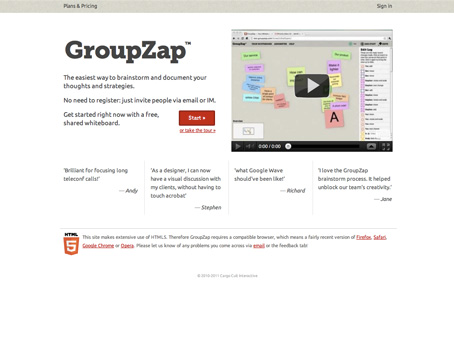
GroupZap is a web-based tool that groups of teammates and colleagues can use to host real-time brainstorming sessions. The difference between a meeting that’s conducted through GroupZap and a meeting that’s held in a typical conference room—besides the abundance of high-tech features and tools—is that GroupZap is an inclusive application that helps people get involved no matter where they’re located in the world.
If you’re got remote workers and colleagues on your team, then you could use GroupZap to facilitate more productive group meetings and brainstorming sessions. Open an account and create separate boards for each brainstorming session you’re planning to hold. Share the URL of the board you’re working on with the members of your team in the same way you’d announce a 1:30 meeting in conference room B. Colleagues will show up virtually at the time you set and start working on whatever project is at hand. Unlike competing brainstorming apps, GroupZap doesn’t require users to draw on a virtual whiteboard by hand—leading to messy boards that are difficult to decipher. Instead, GroupZap utilizes virtual sticky notes that people can type on and place anywhere on a group board. Individual files and images can be dropped onto a board, as well, and all the elements can be rearranged to your heart’s content.
When your board is complete, you can playback and rewind the history of the brainstorming session to determine who came up with the winning ideas or how certain decisions came about. Colleagues have seven days to add additional thoughts to a brainstorming board, after which the board will be locked to prevent further changes. Of course, you can always keep a board for posterity by turning it into a PDF and distributing it to the members of your team at any point.
Practical Uses:
Insider Tips:
What we liked:
What we didn’t like:
Alternatives:
Company Info:
Costs:

Son of a gun, this is so helpluf!
Categories

Comments